PixShaft-Win Dev Notes
It is neither a web wrapper nor an Electron app — it is a native Windows desktop branch of Pixiv-Shaft, written in Kotlin with Compose Multiplatform.
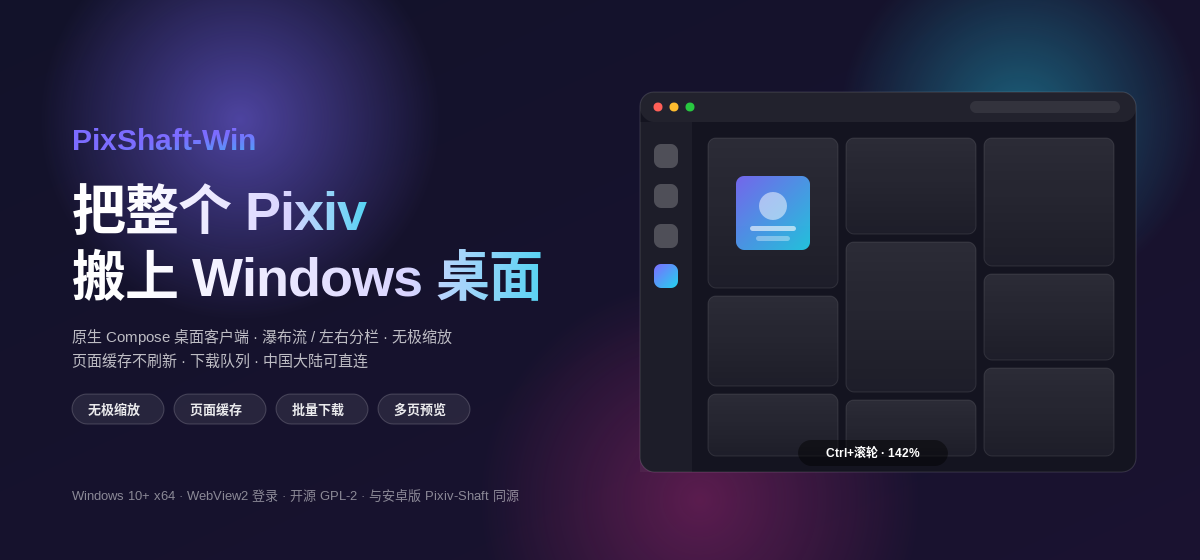


PixShaft-Win is a Windows desktop branch of Pixiv-Shaft. The upstream Android app stays as it is and keeps following the classic branch, while the desktop side adds a new desktop/ module to the repository.
The project is still under construction; the target platform is Windows 10+ x64. It is built with Kotlin + Compose Multiplatform, logs in through the system WebView2, and ships with a direct-connection setup designed for mainland-China network conditions by default. The project is not affiliated with Pixiv, and the code is open source under GPL-2.0.
1. Project Structure First
The most important design decision in this project is not "blowing up the Android UI" — it is splitting the platform-specific parts apart:
app/: the upstream Android app, kept as unchanged as possible.shared/: the Pixiv App API client, models, and OAuth shared by both platforms.desktop/: the Windows desktop client, including navigation, the masonry feed, detail pages, previews, and settings.desktop/webview-auth/: a .NET 8 based WebView2 login helper process.docs/: protocol and architecture notes.
Desktop code lives in desktop/, and the shared layer only takes the necessary increments. That way the project reuses the upstream networking and business logic while letting the desktop UI be redesigned around mice, wide screens, and window management.
2. How It Differs from the Android Version
Instead of copying the bottom navigation or the single-column list, the desktop client re-arranges information density for large screens: the sidebar can collapse and expand on hover, and the content supports masonry flow, a two-column split, and a center-gap layout.
| Feature | Windows Desktop |
|---|---|
| Browsing | Masonry flow, two-column split, cached pages and scroll positions |
| Zooming | Ctrl+wheel or pinch, continuous 40%–300% |
| Rankings | 19 ranking types with a date picker |
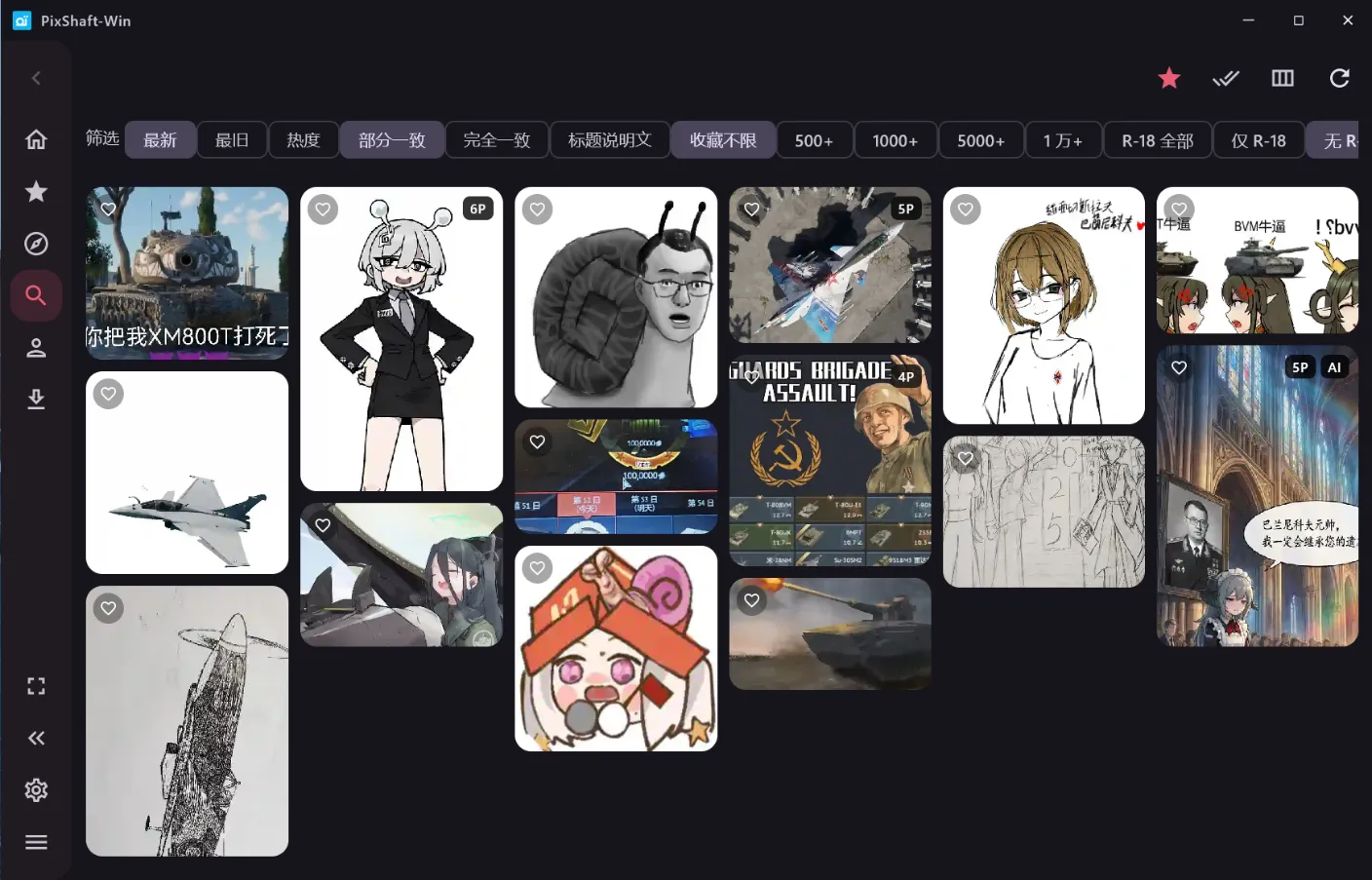
| Search | History, discovery, sorting, matching, bookmark count, and R-18 filters |
| Preview | Full-window zoom, drag, multi-page turning, Esc to close |
| Shortcuts | Ctrl+F search, 1–5 switch tabs, arrow keys to page |
3. The Desktop in Screenshots
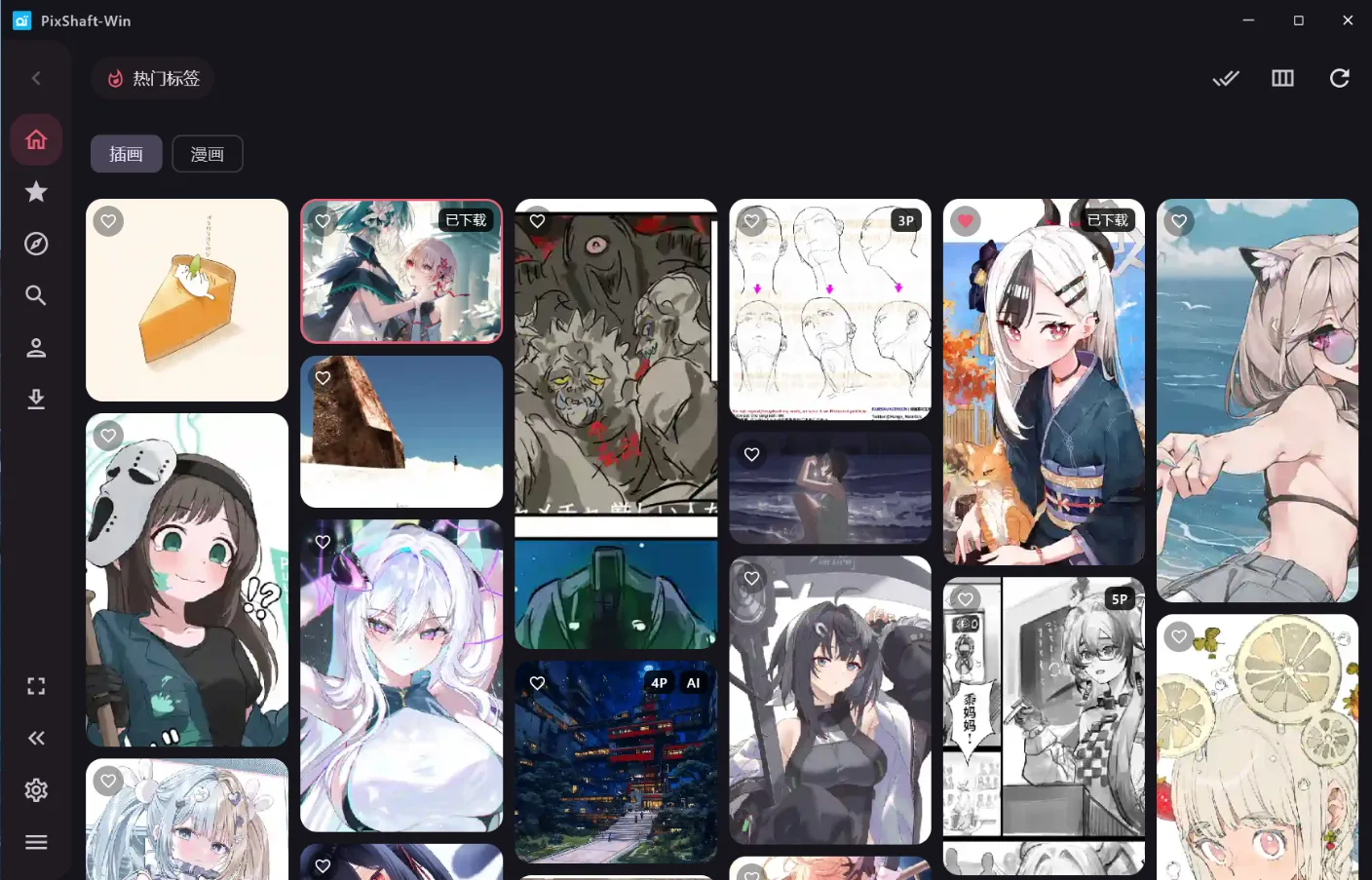
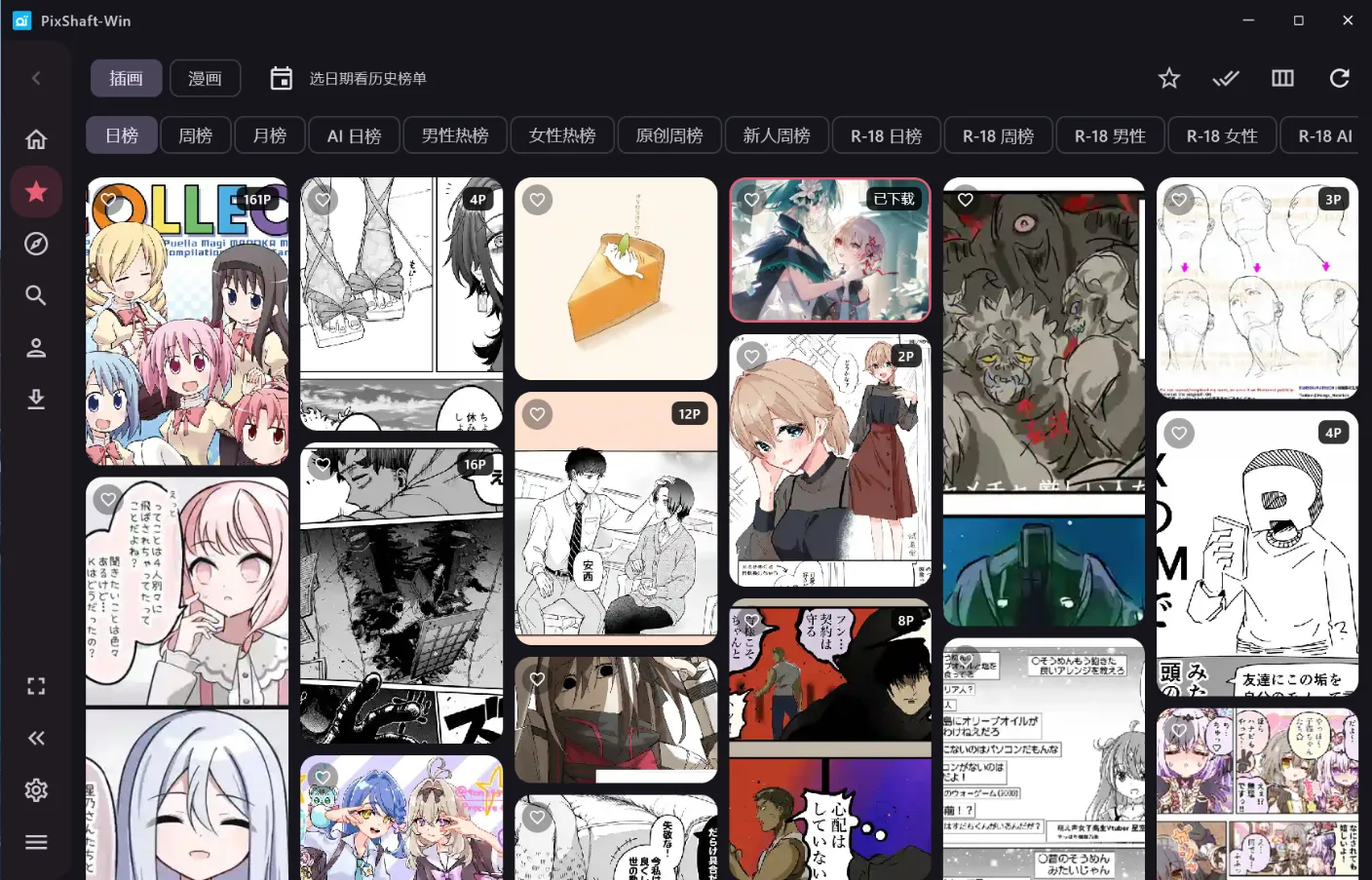
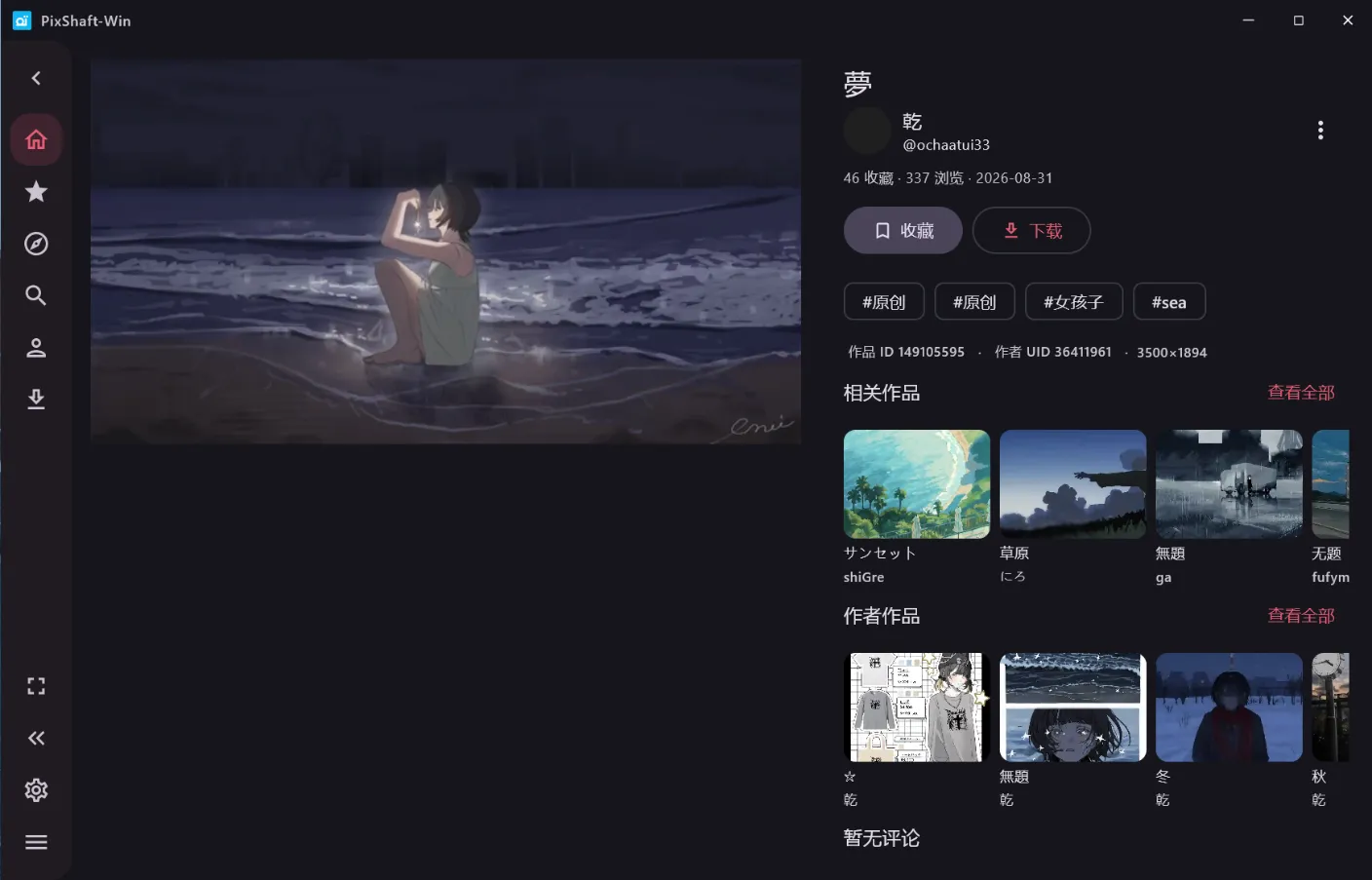
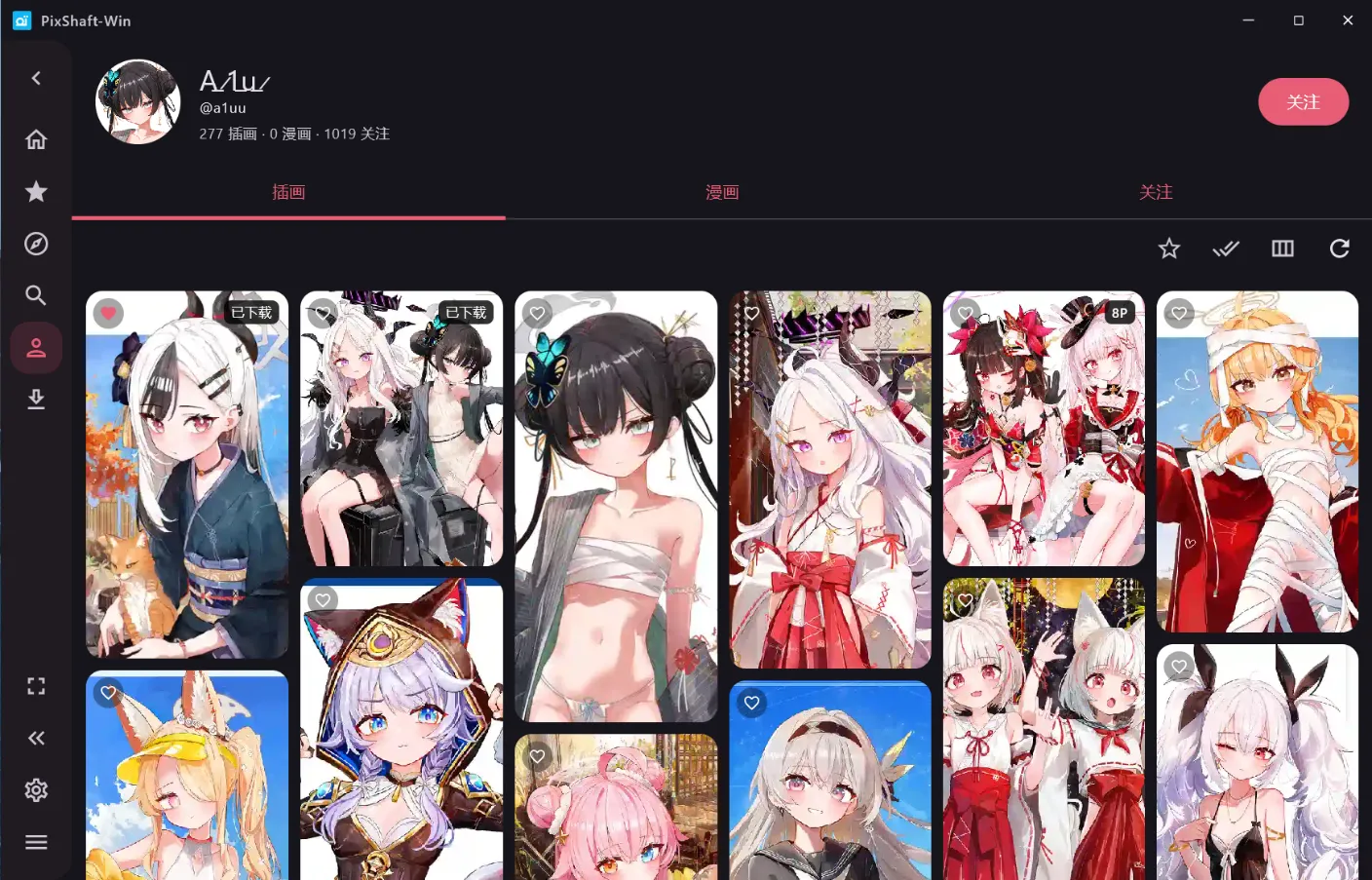
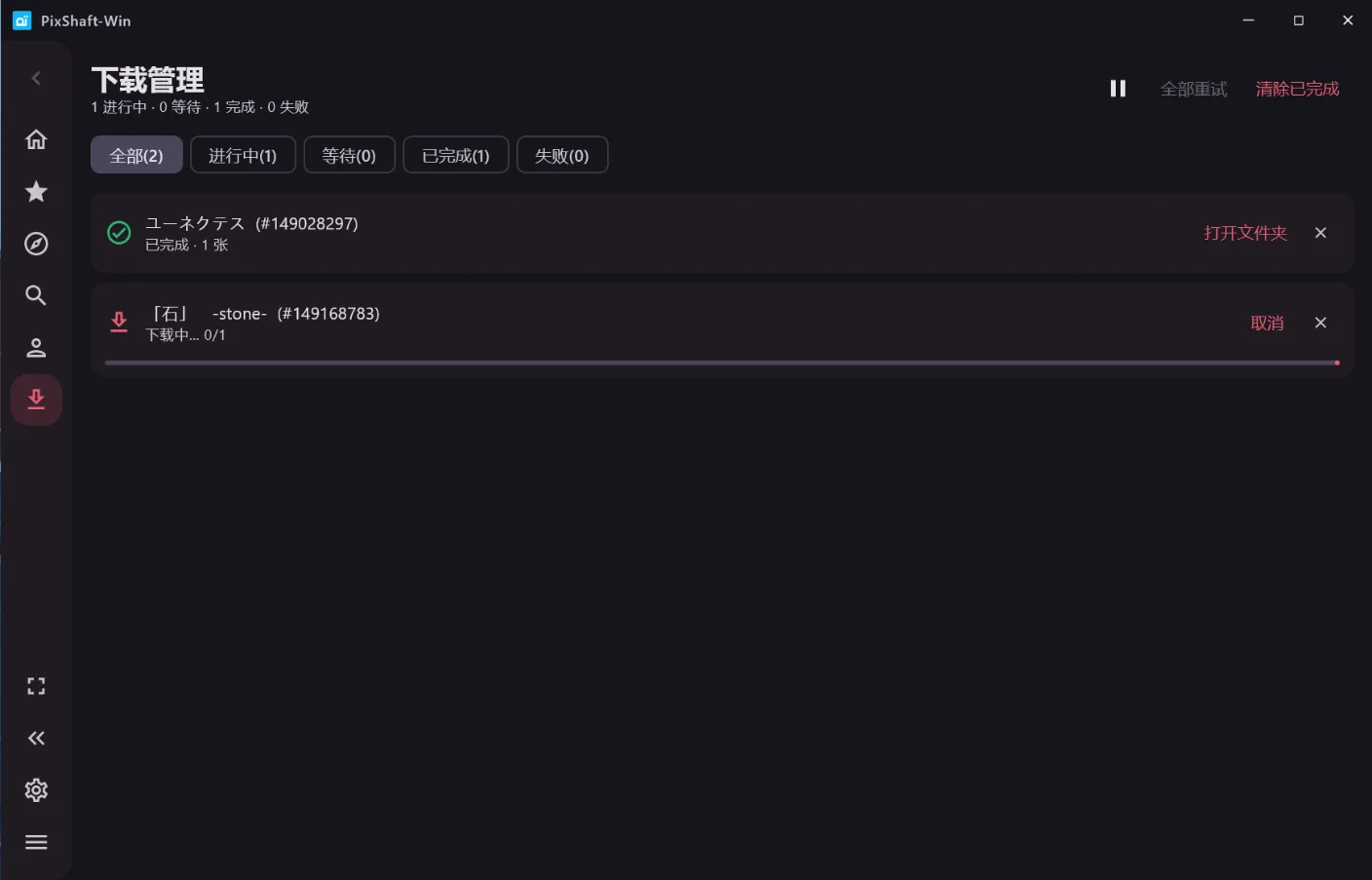
These screenshots correspond to the main user paths in the project README: from the home feed into recommendations, locating works via rankings or search, then opening work details, user pages, or the download queue.
4. Feature Highlights
Browsing and Work Details
The home page offers illustration and manga recommendations; rankings cover daily, weekly, monthly, AI, male, female, original, rookie, R-18, and more. The following page splits into illustration/manga and novel feeds, each filterable by all, public, and private.
Work details support multi-page tabs, thumbnails, auto-playing ugoira, a manga reader, related-works paging, reading and posting comments, plus linked bookmarking, downloading, and following. User pages provide illustrations, manga, and bookmarks.
Pinned Columns and Downloads
Pinned columns can save entries such as searches, authors, following, related works, and rankings, and they survive restarts. The downloader supports filename templates, per-author or per-content-type directories, overwrite policies, concurrency limits, and local queue management — and you can batch-add pinned items to the queue.
Other Capabilities
The project also includes multi-account support, image search, network self-check, FANBOX, pixiv COMIC, local novels, a local library, dark mode, accent colors, and a custom title bar. Feature completeness may vary with development progress; the feature list in the project README is the more accurate source of truth.
5. Login and Networking
Login goes through the system WebView2, taking an approach similar to Pixeval. First launch requires the WebView2 Runtime; Windows 11 usually ships with it.
Networking consists of Chromium QUIC and a no-SNI image channel — the README describes it as a direct-connection setup aimed at mainland-China network conditions by default. The network self-check helps locate connection problems, but it does not mean every network environment works without extra configuration.
This is an unofficial third-party client. Please follow the Pixiv Terms of Service and respect creators' copyrights; the download feature is for personal offline enjoyment only.
6. Downloads and Building from Source
Regular users can grab it from GitHub Releases:
PixShaft-Win-x.y.z.msi: the recommended Windows installer, with a Start-menu entry and an uninstaller.PixShaft-Win-x.y.z.exe: the same installer as an EXE.PixShaft-Win-x.y.z-portable.zip: a portable build — unzip and run; data lives next to the program.
Developers need JDK 17 and can build as described in the README:
git clone https://github.com/normalwindow/Pixiv-Shaft-Win.git
cd Pixiv-Shaft-Win
set JAVA_HOME=C:\path\to\jdk-17
gradlew.bat :desktop:packageReleaseDistributionForCurrentOS
Build artifacts land in desktop/build/compose/binaries/main-release/. To just run a development build, use gradlew.bat :desktop:run.
Closing Thoughts
PixShaft-Win never treats "desktop version" as simple magnification: it keeps the upstream Android client as the business foundation, then reworks navigation, layout, input, windows, and distribution for Windows.
The project is still under construction. For the latest status, downloads, or issue reports, head straight to the GitHub repository.